Perhaps we all started with this: traveled on package tours, flew on inconvenient charters, stayed in mediocre hotels bought in «blocks», went on boring excursions in groups of 40 people… But one day we began to realize that independent travel is not only freedom of movement and significantly greater opportunities, but also a process that is not so complicated that it cannot be figured out.
Let's talk about how to book a hotel on your own. The most convenient way is to use Booking.com, where hundreds of thousands of hotels, inns, hostels, apartments, and villas are gathered. We are sure that no matter what corner of the Earth you are heading to, you will definitely find an accommodation offer from Букинг.ком there.
By the way, did you know that EverTravel is currently running a contest? Book a hotel on Booking.com by following through from our site and win great gifts for travelers! Read more about the promotion on the promo page.
How to book a hotel on Booking.com
Let's go through the process of booking accommodation on Букинг.ком step by step and with pictures. We will show you everything using the example of Рима, but exactly the same algorithm will work for any other destination.
Go to the homepage of Booking.com and, if this is your first time here, choose the appropriate language and currency in the top menu line, for example: Russian and rubles.

Next, move to the search form: specify the city you are going to, the trip dates, and the number of guests. Let it be Рим from 14 to 16 November, a room for two adults. Click the «Search» button.

Look at the amazing offers you can find on Booking.com:
We find ourselves on the search results page and can start choosing right away from all the offers, but there are hundreds of them! Therefore, to make the process faster and more efficient, it makes sense to use the filters. You will find them in the left block.

Check the items that matter to you. For example:
- Price per night – how much are you willing to pay for your stay?
- Smart deal – a great option that will show you hotel offers with good discounts.
- Number of stars – keep in mind that hotels rarely follow a clear 5-star system; this is a very conditional characteristic.
- Property type – do you prefer the comfort of hotels or the fun of hostels?
- Review score – this rating is based on the comments left by those who have already stayed in these places.
- Facilities – is it important to you that the hotel has a pool, parking, a fitness center?
- Room facilities – most often people check the box next to «air conditioning» here.
- Hotel theme – a section for those for whom a hotel matters not just as a place to sleep, but as a full-fledged part of the trip.
- District – want to stay opposite the Колизея? Check this box!
- Hotel chain – do you prefer predictable service and always stay in the same hotels? Let Booking.com know about it.
Of course, it is not necessary to check all these criteria. Check only the characteristics that are truly important to you. For example, we will select: a price from 2500 to 4899 rubles per night, a smart deal, a review score from 8 points, and wi-fi.

Now we see an updated search results page with hotels matching the characteristics we set. In turn, you can also sort them by reviews, stars, or price using the top menu bar.

Now let's figure out the information blocks that we can analyze already on this page.

Each hotel has:
- Name
- Review score
- Photos – small, but you can scroll through them right on this page to get a general impression of the hotel.
- Room information – category, how many people it is рассчитан for, and how much it will cost for the number of nights you specified.
Go through this list and open the pages of the offers that interest you. They will have a more detailed description of the hotels and rooms. We will break it down using the example of the BDB Luxury Rooms Navona hotel page – it has a stylish interior, a good review score, and also a 47% discount for the dates we selected :)
A few more excellent hotels in Europe:
So, we go to the hotel page and see large photos, as well as a description of the hotel itself.

Scroll down and see photos and descriptions of the rooms. Carefully study the booking details: whether breakfast is included in this price, until what date the reservation can be canceled, and whether prepayment is needed.

Next, it is worth returning to the top of the page to understand the hotel's location. Click the «View map» link, and your hotel will be the biggest and brightest pin on it. For example, BDB Luxury Rooms Navona is located very conveniently – it is in the very center of the city, within walking distance of Ватикана, Замка Святого Ангела and Площади Навона.

If you have never been to Риме and have difficulty navigating the location of its districts and attractions, read the overview of this city on EverTravel.me. We will tell you where it is better to stay and why. Similar descriptions are available for other popular tourist destinations as well.
Close the map and click the «See all reviews» link. This is a very important section from which you can understand how clean the rooms are, whether the breakfast is tasty, whether the wi-fi is stable, and many other useful things written by those who have already stayed at this hotel. There are no fake reviews on Booking.com. This service allows comments to be left only by those who actually stayed in these places.

If it seems to you that this is not the best offer and it is worth looking more, return to the search page and study other options. They can be viewed as a list or on the map located below in the left block. It is very convenient to study offers on it if you want to stay near some specific place, say, the Ватикана.

Note that there will be many pins on the map, but the options that match your characteristics will be highlighted more brightly. You can click such pins to go to the hotel page, just as from the search page.

Take note! Tempting offers in different corners of the world:
If you cannot find what you want, try changing the search criteria: lower or raise the price, the review score, or look at options in other areas of the city.
After the ideal offer has been found, on the hotel page, in the room description block, specify the number of rooms you need and click «Book».

To place the order, you need to sign in to Booking.com. It will take only a minute and will be incredibly useful in the future: users who regularly book hotels on this site eventually receive Genius status, which gives an additional 10% discount on many hotels.

Next, you will be asked to enter your bank card details. Do not be afraid, no money will be charged from it; this is necessary only to guarantee your reservation. Enter the details, click «Book».

And the next page we see is already the confirmation of our order. Approximately the same message arrives by email. Know that at any moment you can cancel this reservation, change its dates, or rooms.

On the eve of the trip, we advise printing the letter that arrived at the email specified during registration, so that you have the reservation pin code at hand, which may be requested at the hotel. It is also convenient that this message contains a map with the hotel marked and the address written in the language of the country you are going to. Such a voucher is very convenient to show to taxi drivers.
It would also be useful to upload the booking confirmation to Dropbox or some other cloud data storage, and also download the Booking.com mobile app on iPhone or Android. This way, the necessary information about the hotel you selected will always be at hand.
One more useful tip: if you have arrived in a new city and still do not have a hotel for the coming night, be sure to check Букинг.ком. There you can often find amazing offers with discounts of up to 80%!

There are even special Booking.com mobile apps called Tonight for iPhone and Hotel Tonight for Android. They show «last-minute» options for the coming night with veeeery good discounts.
If you still have any questions, you will surely be able to find answers to them in the FAQ section of the Booking.com website or by sending a request to this service's support team. They reply there around the clock, quickly, politely, and in Russian.
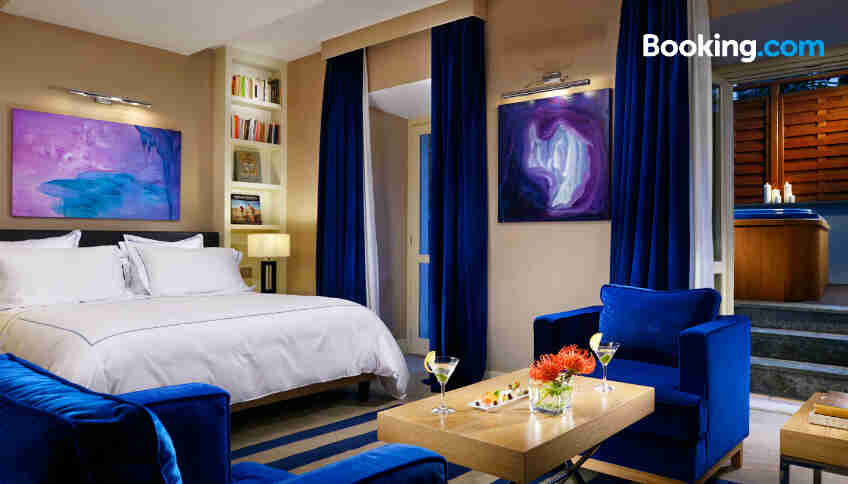
The cover image shows a room at The First Luxury Art Hotel Roma